
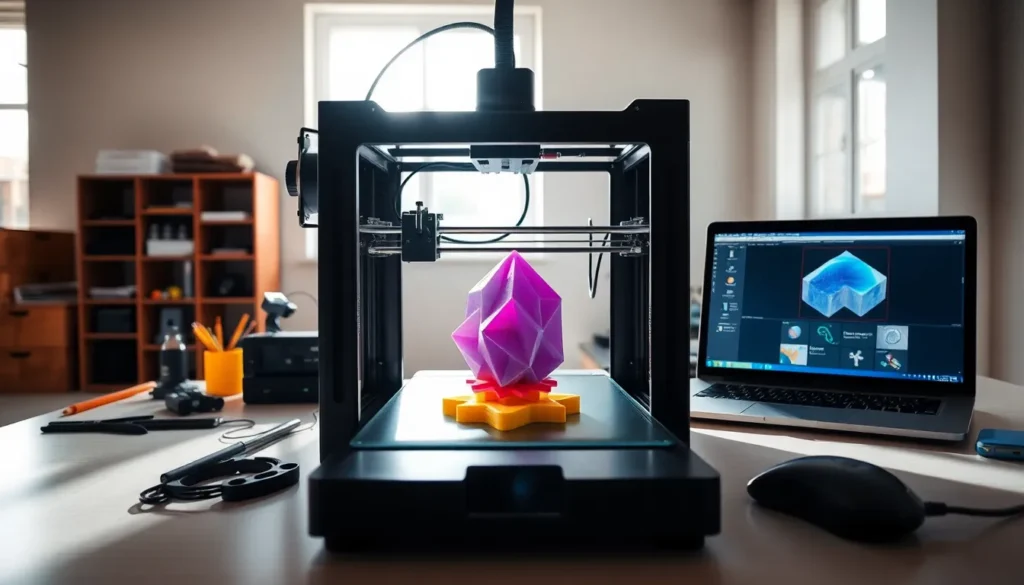
In the world of 3D printing, the term ‘raft’ might sound like something you’d expect to find in a survivalist guide or a nautical adventure. But fear not: it’s not a life-saving vessel. Instead, it’s a game-changer in the additive manufacturing realm. Picture this: you’re about to create a stunning model, but those pesky first layers are giving you grief. Enter the raft. This underappreciated hero not only makes your prints more stable but also saves you from the heartbreak of a failed build. Let’s jump into what a raft is, how it works, and why it’s worth considering for your next project.
Understanding 3D Printing Basics

Before delving into the nitty-gritty of rafts, it’s crucial to grasp the fundamentals of 3D printing. At its core, 3D printing, also known as additive manufacturing, entails creating a physical object from a digital model, one layer at a time. The process begins with slicing software that converts a 3D model into instructions for the printer. Understanding how layers build upon each other is key. Without a solid foundation, those layers might not hold together. This is where a raft can come into play, serving as a preliminary layer that boosts the overall print quality.
What Is a Raft?
So, what exactly is a raft in 3D printing? Imagine it as a support structure designed to create a better foundation for your print. It consists of several layers that are printed beneath your actual model. Typically, the raft is slightly larger than the object itself, giving the print a stable base. This is especially beneficial for prints with small footprints or complex geometries. The raft helps ensure better adhesion to the build plate and can minimize issues like warping or lifting, which, let’s admit, can ruin an otherwise perfect build.
Benefits of Using a Raft in 3D Printing
Choosing to incorporate a raft provides several advantages. First and foremost, stability takes center stage. By offering a larger surface area, rafts improve adhesion to the print bed. This addition not only reduces the risk of failed prints, but it often leads to aesthetically superior results. Also, they can serve as a buffer against inconsistencies in the bed surface, which can be a source of frustration for many. Rafts are also helpful in printing intricate designs, allowing for better details and precision that might otherwise be lost. Finally, removing a raft is generally easier than trying to dislodge a stuck print from the bed itself, making cleanup a breeze.
When to Use a Raft
Using a raft isn’t necessarily required for every print, but there are situations when it shines the brightest. One prime occasion is when printing small objects with limited contact points on the build surface. Objects like figurines or detailed models can greatly benefit from a raft. If the model has a complex shape or features overhangs, a raft can support those tricky sections during printing. Also, for materials that are prone to warping, such as ABS, a raft provides an excellent solution. Eventually, understanding when to use a raft can lead to greater success in your 3D printing endeavors.
How to Configure a Raft in Your 3D Printing Software
Configuring a raft in your 3D printing software is surprisingly straightforward. Most slicing programs include an option to enable rafts within the settings. Once you’ve imported your model, navigate to the print settings and look for the support options. Typically, you’ll find a toggle to activate rafts. From there, it’s wise to adjust the raft thickness based on your printer’s capabilities and the material you’re using. Consider experimenting with the raft settings to find the right balance for your specific project. This tweaking allows for better results, tailoring the raft to meet the needs of your print.
Common Raft Issues and Solutions
Even though the myriad benefits of using a raft, challenges can arise. One common issue is difficulty in removing the raft post-printing. If a raft sticks too well to the model, it can be a frustrating process. To combat this, tweak your raft’s settings to include a lower adhesion value or use a material that peels away easily. Another potential hurdle is an uneven raft, which can create issues with the overall print quality. Ensure that your build plate is properly leveled before starting the print. This small adjustment can lead to significant improvements in your outcomes.

